> ## Documentation Index
> Fetch the complete documentation index at: https://dripart-chore-sync-comfy-api-v2-spec-12fd5b4.mintlify.site/llms.txt
> Use this file to discover all available pages before exploring further.

# Hunyuan 3D API 节点模型生成 ComfyUI 官方示例

> 本文将介绍如何在 ComfyUI 中使用 Hunyuan 3D 节点的 API 进行 3D 模型生成

Hunyuan 3D 3.0 是腾讯推出的最先进的 3D 生成模型，可在几分钟内完成 3D 内容创建。它可以通过文本提示、图像或草图生成可用于生产的 3D 资产，大大降低了传统 3D 建模流程的门槛。

ComfyUI 现已原生集成了相应的 Hunyuan 3D API，让您可以方便地在 ComfyUI 中使用相关节点进行模型生成。

目前，ComfyUI 的合作伙伴节点支持以下 Hunyuan 3D 模型生成功能：

* 文本到 3D 生成
* 图像到 3D 生成
* 多视图到 3D 生成

<Tip>
  使用 API 节点需要保证你已经正常登录，并在受许可的网络环境下使用，请参考[API 节点总览](/zh/tutorials/partner-nodes/overview)部分文档来了解使用 API 节点的具体使用要求。
</Tip>

<Tip>
  <Tabs>
    <Tab title="本地用户">
      请确保你的 ComfyUI 已经更新。

      * [ComfyUI 下载](https://www.comfy.org/download)
      * [ComfyUI 更新教程](/zh/installation/update_comfyui)

      本指南里的工作流可以在[工作流模板](/zh/interface/features/template)中找到。如果找不到，可能是 ComfyUI 没有更新。

      如果加载工作流时有节点缺失，可能原因有：

      1. 你用的不是最新版（每夜版）。
      2. 启动时有些节点导入失败。
    </Tab>

    <Tab title="云端用户">
      * [Cloud](https://cloud.comfy.org) 会在 ComfyUI 稳定版本发布后更新。

      所以，如果你发现本文档中有任何核心节点缺失，可能是因为新核心节点尚未在最新稳定版中发布。请等待下一个稳定版发布。
    </Tab>
  </Tabs>
</Tip>

## 使用场景

* **游戏开发创意**：快速生成角色、道具和环境，具有优化的拓扑结构，适用于绑定和实时渲染
* **产品与电商**：将产品照片转换为交互式 3D 模型，用于在线展示
* **工业设计**：草图到 3D 原型制作和 3D 打印就绪的零件分解
* **视觉特效与动画**：具有专业 UV 和 PBR 材质的高分辨率资产

## 开始使用

### 1. 访问工作流模板

1. 打开侧边栏中的模板库
2. 导航到 **3D** → **Hunyuan 3D**
3. 选择 Hunyuan 3D 的工作流模板

### 2. 运行工作流

1. 根据工作流类型输入文本提示、图像或草图
2. 点击 `Run` 按钮，或使用快捷键 `Ctrl(cmd) + Enter` 执行模型生成
3. 工作流完成后，预览并导出您的 3D 模型

<h3 id="api_hunyuan3d_text_to_model">
  HunYuan3D：文本转模型
</h3>

输入文本提示或上传参考图像，生成精细的 3D 模型资源。

**示例提示**：“带有齿轮的机械海豚，蒸汽朋克”

<img src="https://raw.githubusercontent.com/Comfy-Org/workflow_templates/main/templates/api_hunyuan3d_text_to_model-1.webp" alt="HunYuan3D：文本转模型工作流预览" />

<CardGroup cols={2}>
  <Card title="在 Comfy Cloud 上运行" icon="cloud" href="https://cloud.comfy.org/?template=api_hunyuan3d_text_to_model&utm_source=docs&utm_medium=referral&utm_campaign=hunyuan3d-3-0">
    在 Comfy Cloud 中打开
  </Card>

  <Card title="下载工作流" icon="download" href="https://github.com/Comfy-Org/workflow_templates/blob/main/templates/api_hunyuan3d_text_to_model.json">
    下载 JSON，或在模板库中搜索 "HunYuan3D: Text to Model"
  </Card>
</CardGroup>

<h3 id="api_hunyuan3d_image_to_model">
  HY 3D：图像转模型
</h3>

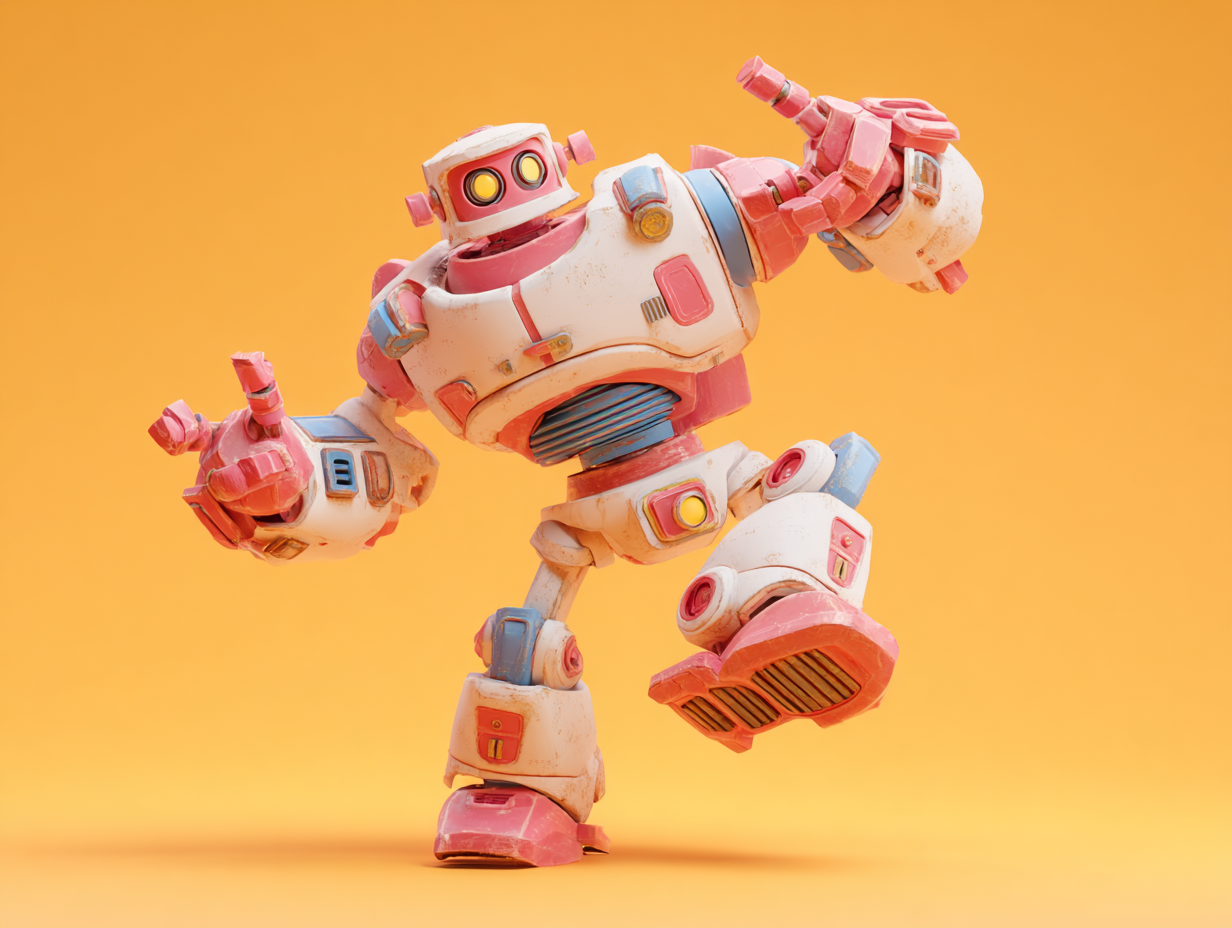
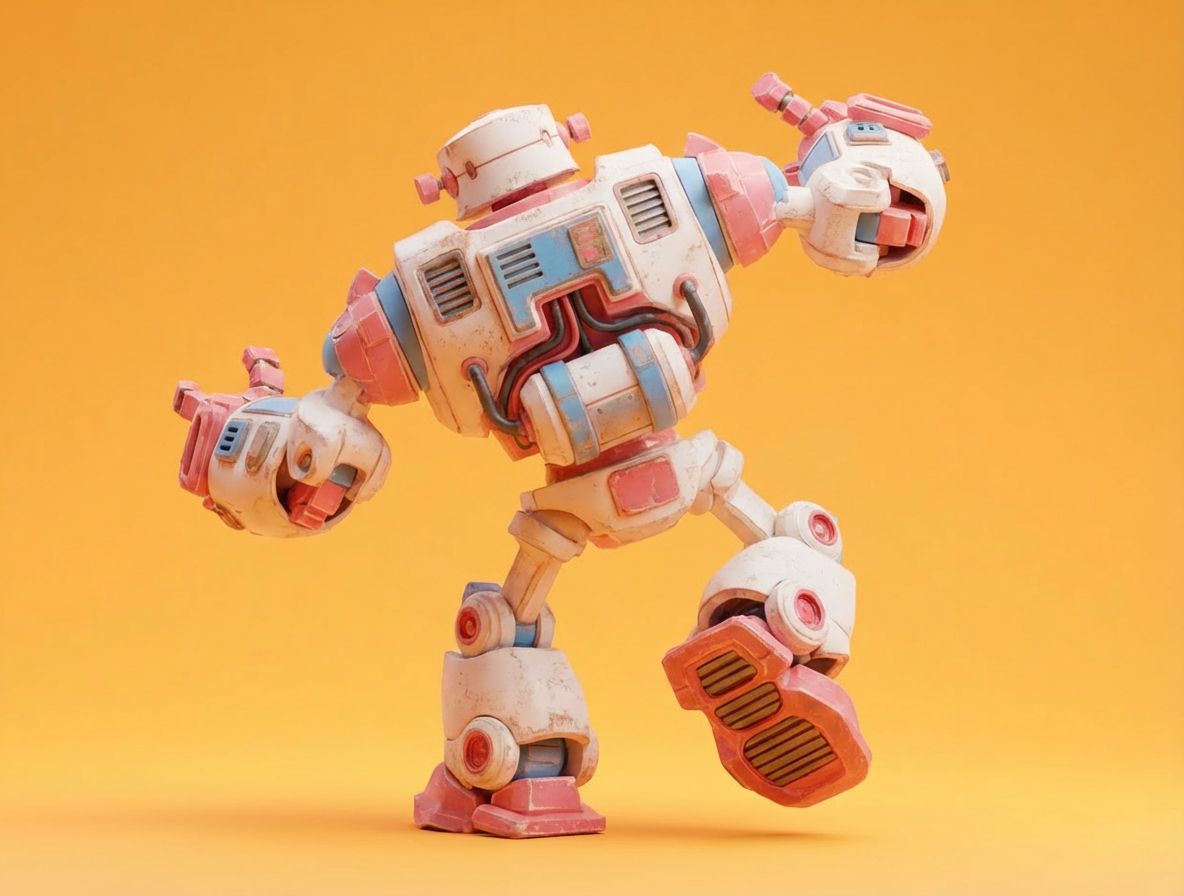
上传图像，生成包含几何与 PBR 纹理的 3D 模型。上传 2–4 张不同角度的多视角图像，可提高几何与材质的保真度。

<img src="https://raw.githubusercontent.com/Comfy-Org/workflow_templates/main/templates/api_hunyuan3d_image_to_model-1.webp" alt="HY 3D：图像转模型工作流预览" />

<CardGroup cols={2}>
  <Card title="在 Comfy Cloud 上运行" icon="cloud" href="https://cloud.comfy.org/?template=api_hunyuan3d_image_to_model&utm_source=docs&utm_medium=referral&utm_campaign=hunyuan3d-3-0">
    在 Comfy Cloud 中打开
  </Card>

  <Card title="下载工作流" icon="download" href="https://github.com/Comfy-Org/workflow_templates/blob/main/templates/api_hunyuan3d_image_to_model.json">
    下载 JSON，或在模板库中搜索 "HY 3D: Image to Model"
  </Card>
</CardGroup>

**输入素材**

将以下文件上传到对应的 `LoadImage` 节点：

<CardGroup cols={2}>
  <Card title="pink_robot_front.png" icon="image" href="https://raw.githubusercontent.com/Comfy-Org/workflow_templates/main/input/pink_robot_front.png">
    `LoadImage` 节点 1 · `pink_robot_front.png`
  </Card>

  <Card title="pink_robot_back.png" icon="image" href="https://raw.githubusercontent.com/Comfy-Org/workflow_templates/main/input/pink_robot_back.png">
    `LoadImage` 节点 10 · `pink_robot_back.png`
  </Card>
</CardGroup>

<div style={{display: 'grid', gridTemplateColumns: 'repeat(2, minmax(0, 1fr))', gap: '1rem', alignItems: 'start'}}>
  <img src="https://raw.githubusercontent.com/Comfy-Org/workflow_templates/main/input/pink_robot_front.png" alt="pink_robot_front.png" style={{width: '100%', height: 'auto', objectFit: 'contain'}} />

  <img src="https://raw.githubusercontent.com/Comfy-Org/workflow_templates/main/input/pink_robot_back.png" alt="pink_robot_back.png" style={{width: '100%', height: 'auto', objectFit: 'contain'}} />
</div>

## 高级功能

继 [混元3D 3.0 初始集成](https://blog.comfy.org/p/hunyuan-3d-30-in-comfyui-state-of) 之后，混元3D 的高级处理功能现已通过合作节点提供。这些工作流通过将关键后处理步骤引入 ComfyUI，帮助弥合生成与生产之间的差距。

<h3 id="api_hunyuan3d_part">
  混元3D：3D 零件分解
</h3>

上传 3D 模型，自动将其分割为各个组成部分，从而生成完全分解的 3D 资产，便于复用和编辑。

<img src="https://raw.githubusercontent.com/Comfy-Org/workflow_templates/main/templates/api_hunyuan3d_part-1.webp" alt="混元3D：3D 零件分解工作流预览" />

<CardGroup cols={2}>
  <Card title="在 Comfy Cloud 上运行" icon="cloud" href="https://cloud.comfy.org/?template=api_hunyuan3d_part&utm_source=docs&utm_medium=referral&utm_campaign=hunyuan3d-3-0">
    在 Comfy Cloud 中打开
  </Card>

  <Card title="下载工作流" icon="download" href="https://github.com/Comfy-Org/workflow_templates/blob/main/templates/api_hunyuan3d_part.json">
    下载 JSON，或在模板库中搜索“HY 3D: 3D Parts Decomposition”
  </Card>
</CardGroup>

<h3 id="api_hunyuan3d_model2uv">
  混元3D：UV 展开
</h3>

上传 3D 模型以执行 UV 展开。生成具有优化 UV 布局的处理后模型，用于贴图。

<img src="https://raw.githubusercontent.com/Comfy-Org/workflow_templates/main/templates/api_hunyuan3d_model2uv-1.webp" alt="混元3D：UV 展开工作流预览" />

<CardGroup cols={2}>
  <Card title="在 Comfy Cloud 上运行" icon="cloud" href="https://cloud.comfy.org/?template=api_hunyuan3d_model2uv&utm_source=docs&utm_medium=referral&utm_campaign=hunyuan3d-3-0">
    在 Comfy Cloud 中打开
  </Card>

  <Card title="下载工作流" icon="download" href="https://github.com/Comfy-Org/workflow_templates/blob/main/templates/api_hunyuan3d_model2uv.json">
    下载 JSON，或在模板库中搜索“HY 3D: UV Unwrapping”
  </Card>
</CardGroup>

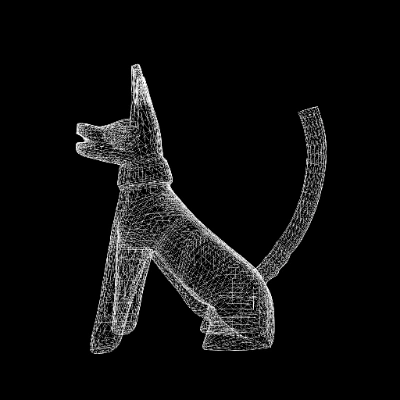
<h3 id="api_hunyuan3d_smart_topology">
  混元3D：智能拓扑
</h3>

上传高多边形 3D 模型文件。按指定的减面级别生成低多边形、拓扑优化的 3D 模型。
<img src="https://raw.githubusercontent.com/Comfy-Org/workflow_templates/main/templates/api_hunyuan3d_smart_topology-1.webp" alt="混元3D：智能拓扑工作流预览" />

<CardGroup cols={2}>
  <Card title="在 Comfy Cloud 上运行" icon="cloud" href="https://cloud.comfy.org/?template=api_hunyuan3d_smart_topology&utm_source=docs&utm_medium=referral&utm_campaign=hunyuan3d-3-0">
    在 Comfy Cloud 中打开
  </Card>

  <Card title="下载工作流" icon="download" href="https://github.com/Comfy-Org/workflow_templates/blob/main/templates/api_hunyuan3d_smart_topology.json">
    下载 JSON，或在模板库中搜索“HY 3D: Smart Topology”
  </Card>
</CardGroup>